WitnessWork
Made for the ministry.
Your time, plans, and return visits in one calm, private place, with gentle nudges that keep you on track.


Loved in the ministry
- App Store rating
- 4.9
- publishers every month
- 10K+
- countries
- 100+
- languages
- 19
Very user friendly
My absolute favorite thing about this app is how everything I need is right there on a single page. It's incredibly simple to use, yet it covers all my bases for keeping track of my time, calls, and studies.
Great app!
I love that you can see your calls on the map so you know which one is closer to you. It has so many great features! It’s just very complete and well made.
Tried a BUNCH and it’s the best.
This is my favorite app of all service apps I tried. Some free some paid. This has the most logical organization and customization.
TREMENDA APLICACIÓN
Muy buena, útil y sencilla, fácil de aprender a usar!
Best I’ve found
This app has every single feature I need without being clunky or overwhelming. It has a nice layout, and it’s very useful in the ministry.
Simple and Beautiful
It is straightforward and a joy to use.
Best ministry app
So easy and simple to use, especially for return visits.
Ідеальна програма
Дякую дуже! Все працює чудово
BEST UPDATE!
This app was great at first for finding my calls while in the ministry, now with the new features it can completely replace my call book.
Excellent Field Service Organizer!
It has helped me to be more people conscious and time sensitive to accomplish my ministry.
Appreciate your app
A super efficient, easy to use app, I love the encouraging comments, and the address location options, thank you, it makes pioneering so much easier😊
La meilleure de toutes
Gros merci
Why WitnessWork
WitnessWork keeps count of your hours, plans, return visits, and Bible studies, so you always know where you stand and can give your attention to the people you're helping.
A day in service
One day. Every device.
From your first call to your last, WitnessWork moves with you.
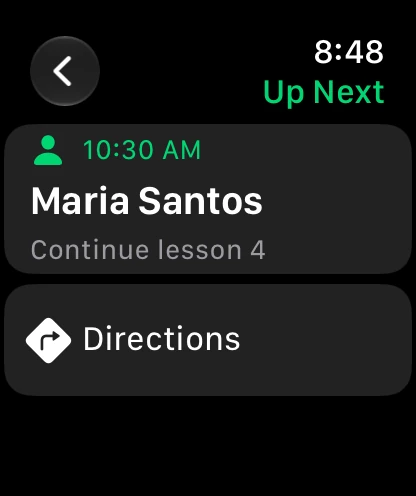
See what's next
Up Next on your wrist shows your next return visit: who, where, and what you'll talk about.
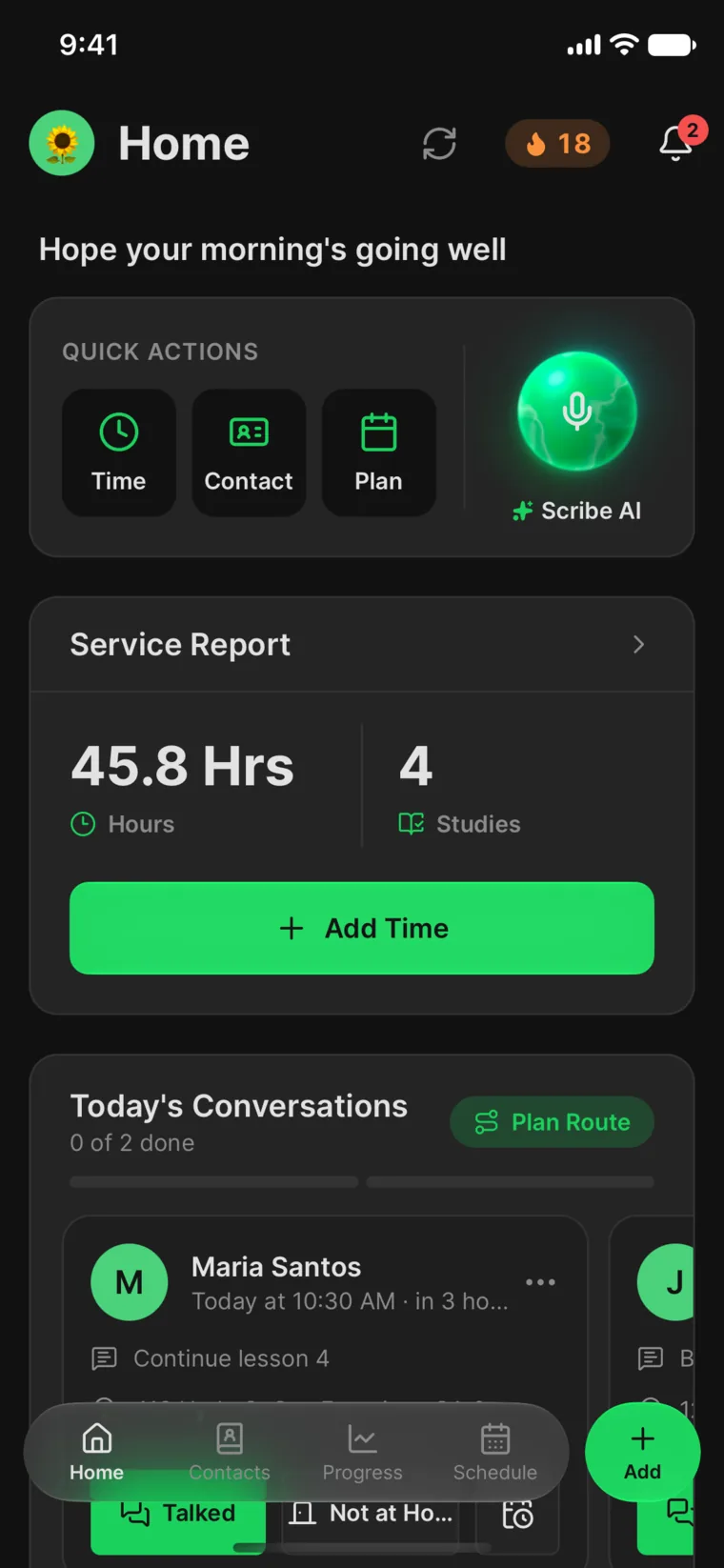
Start the morning
Today's plan, today's return visits, and this month's progress, all on Home.
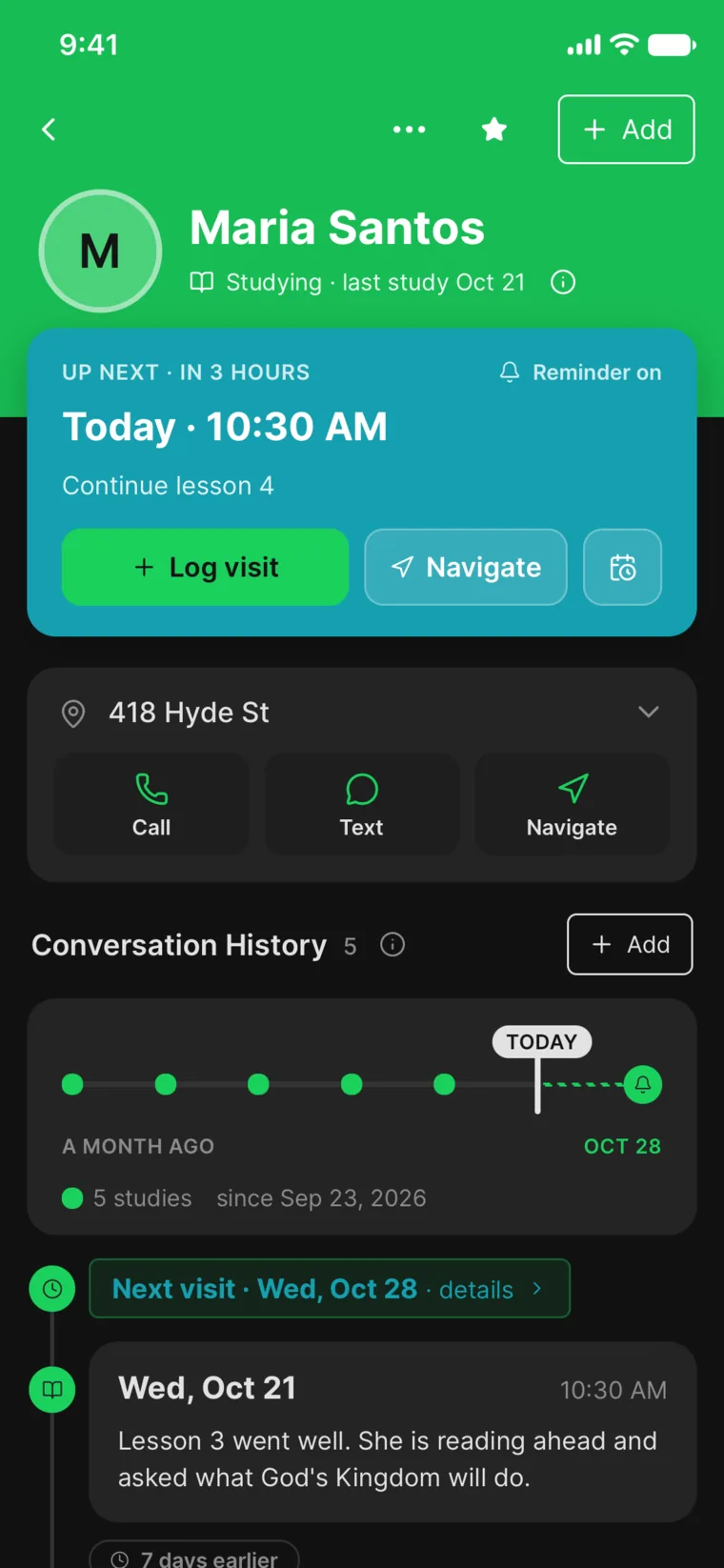
Remember every conversation
Log the visit and set the next one in seconds. Notes, studies, and follow-ups stay together.
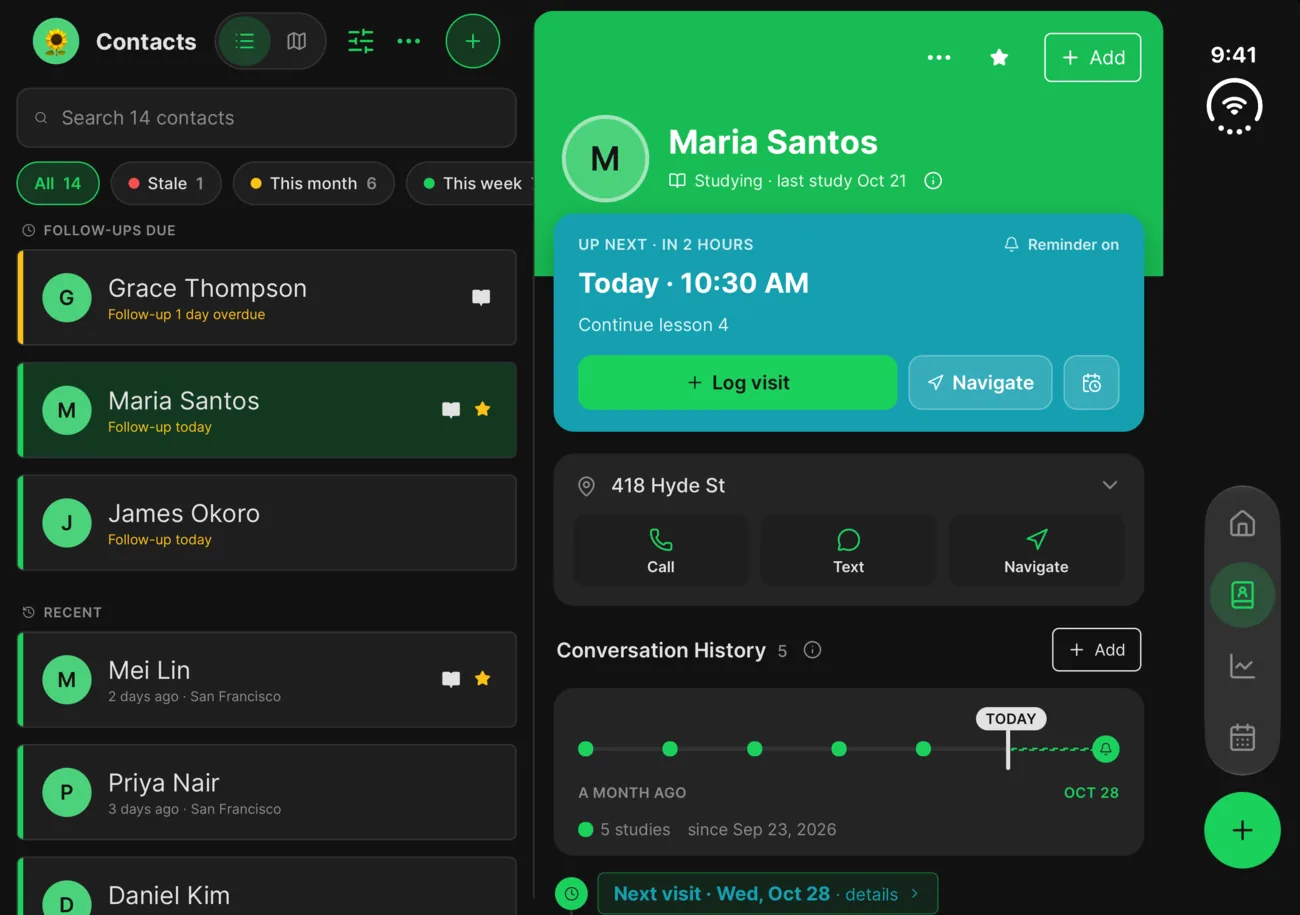
Unfold for more
Open iPhone Duo and your contacts and their history sit side by side.
Look back on the day
On iPad, review your month and service year, then plan the weeks ahead.
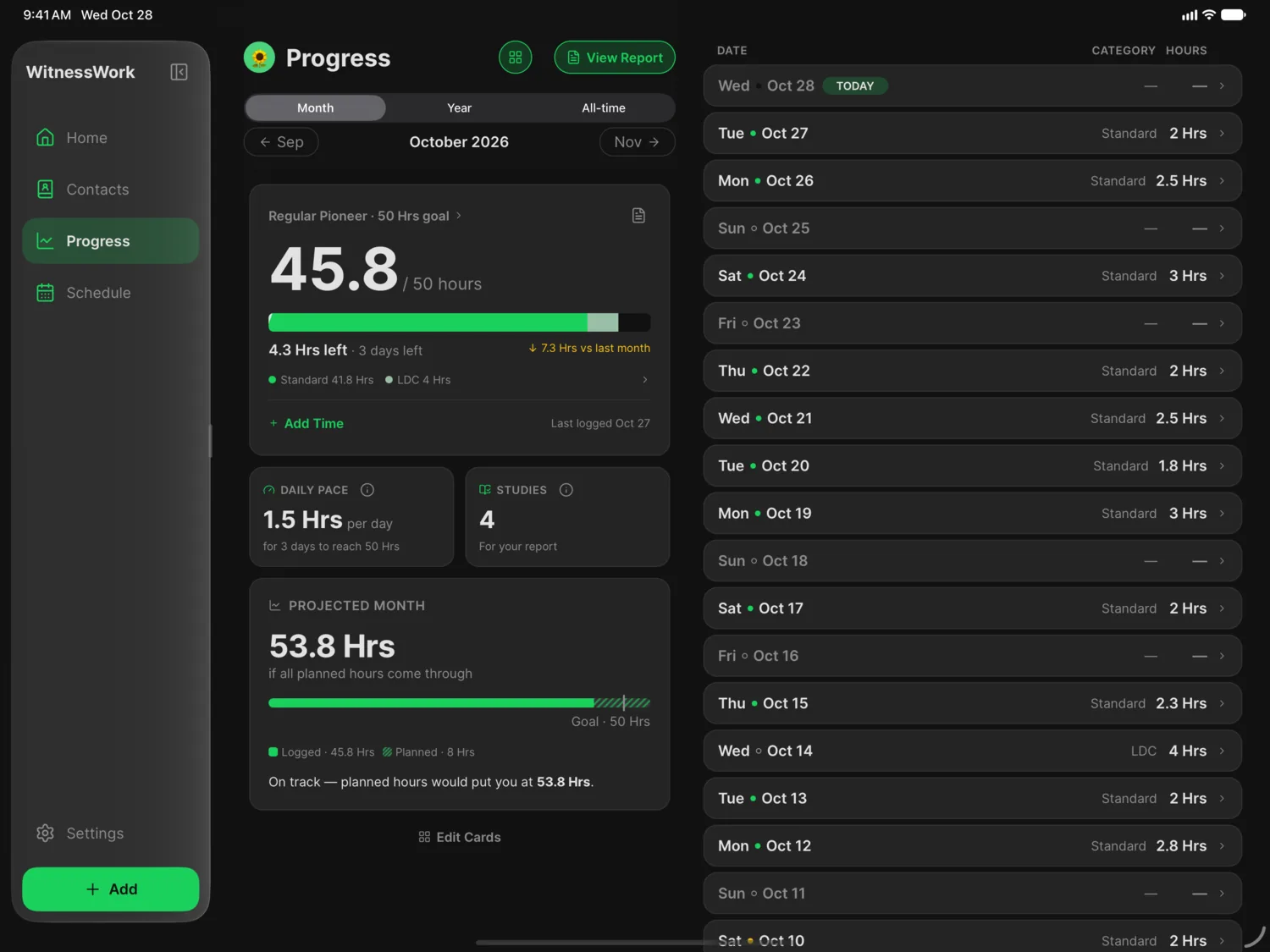
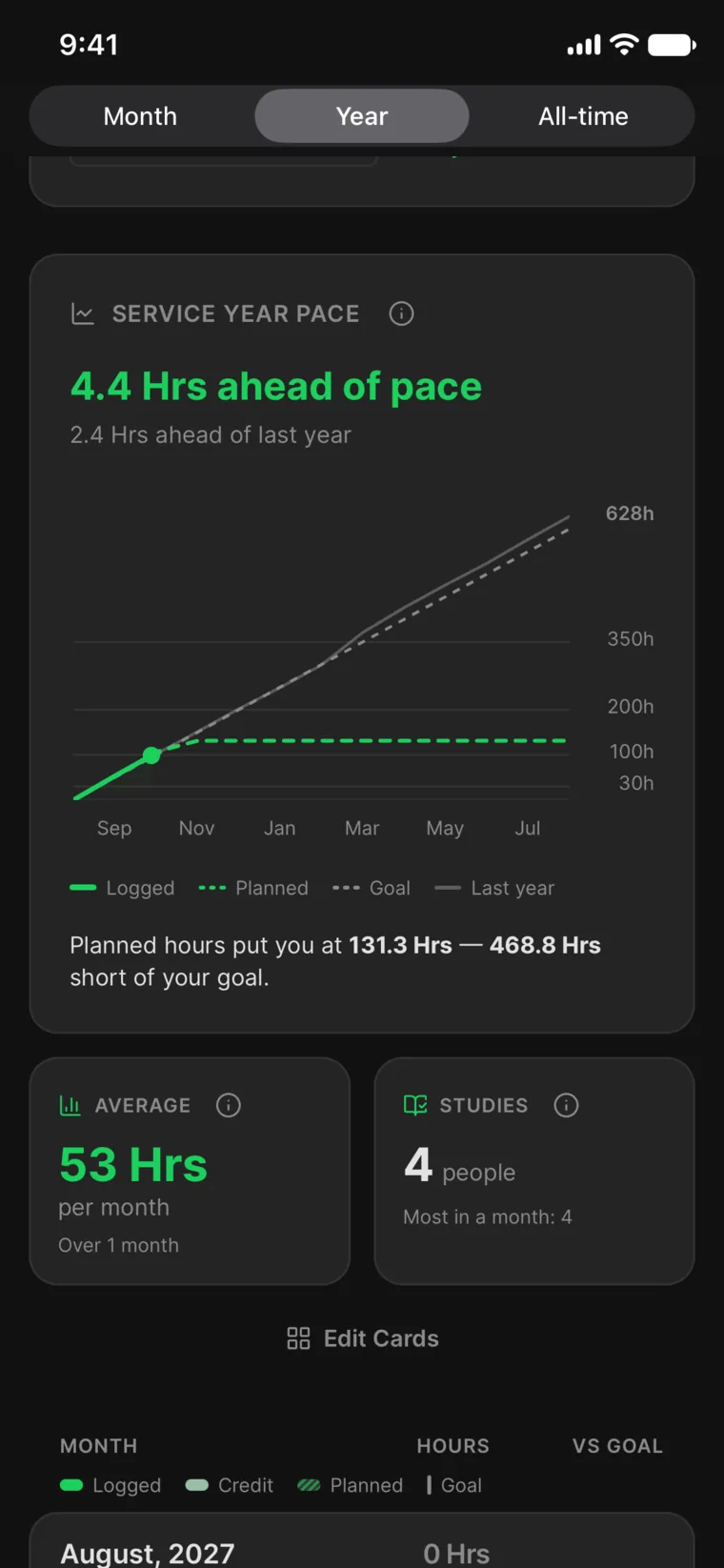
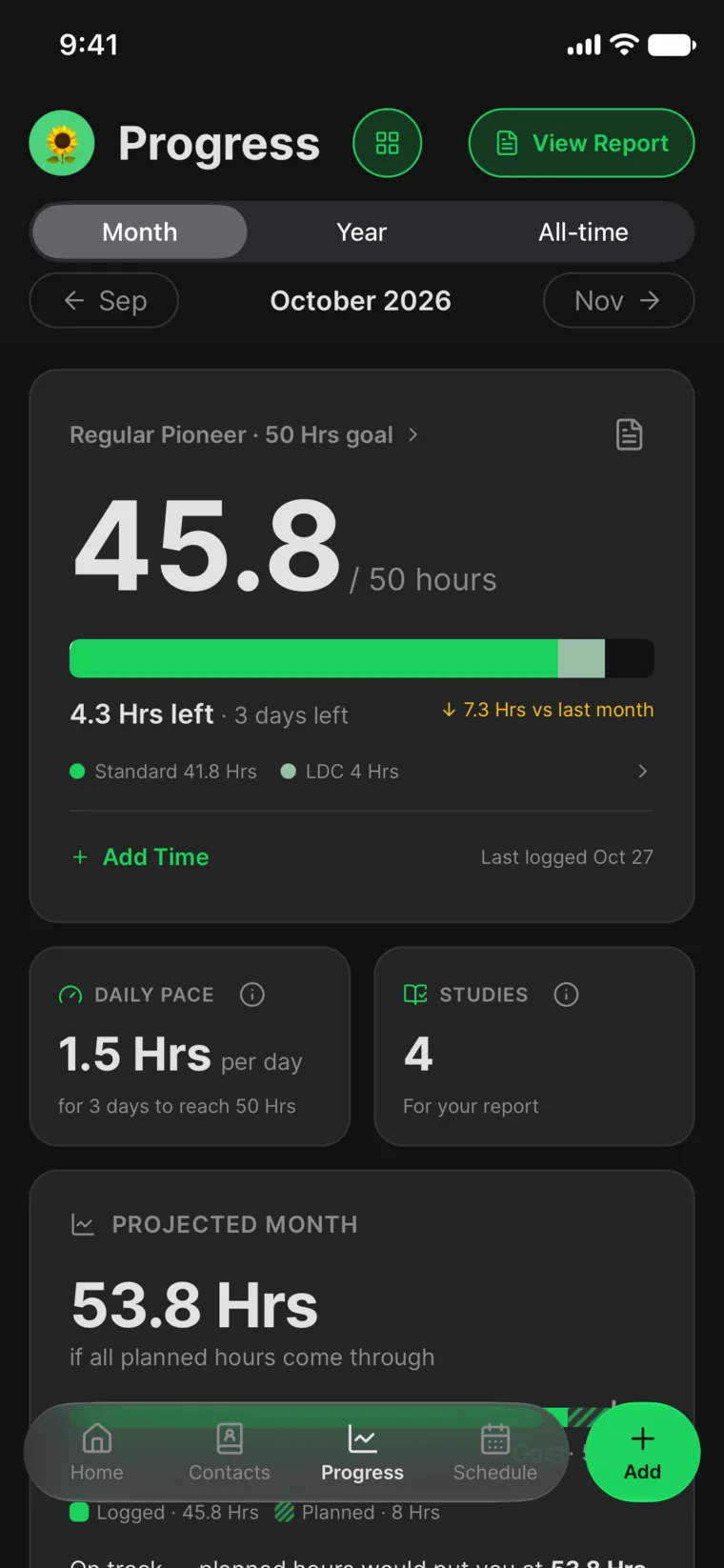
Progress
Always know where you stand.
See your hours, studies, and goal at a glance. WitnessWork works out what it takes each day to finish strong, counts credit hours and LDC the right way, and sends your report in a tap.
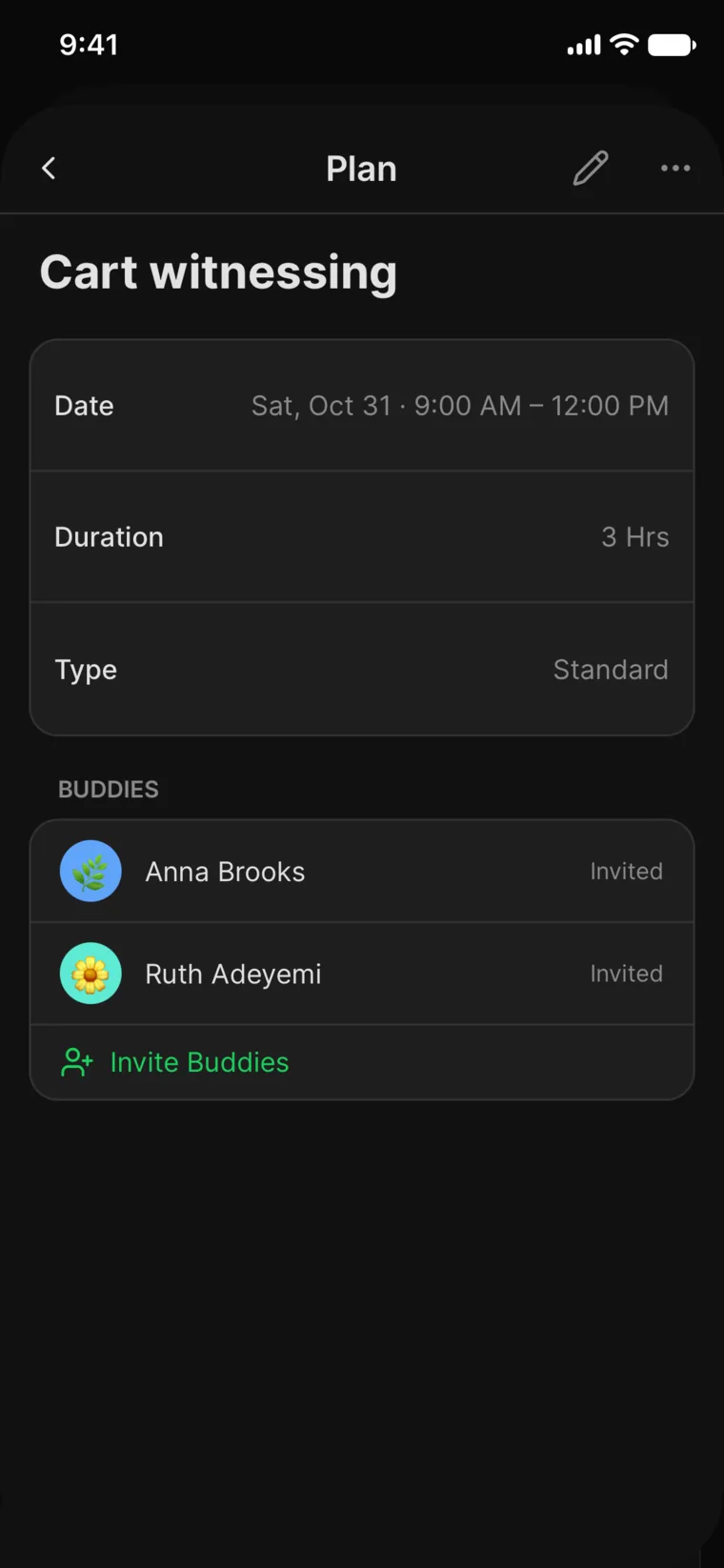
Schedule
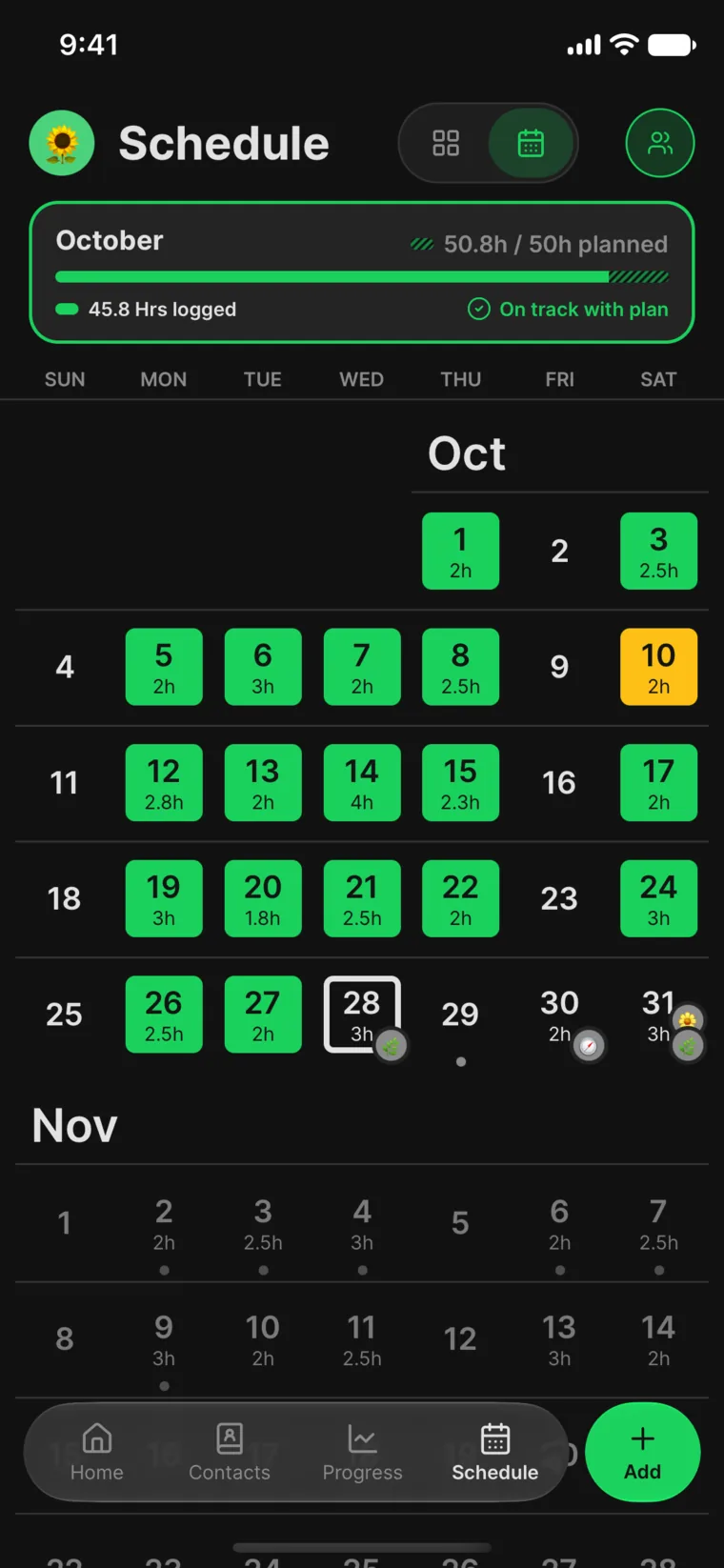
Plan your month in a tap.
Pick the days you go out and the Assistant spreads your goal across them. Recurring plans, reminders, and your buddies' days keep the weeks on track.
Return visits
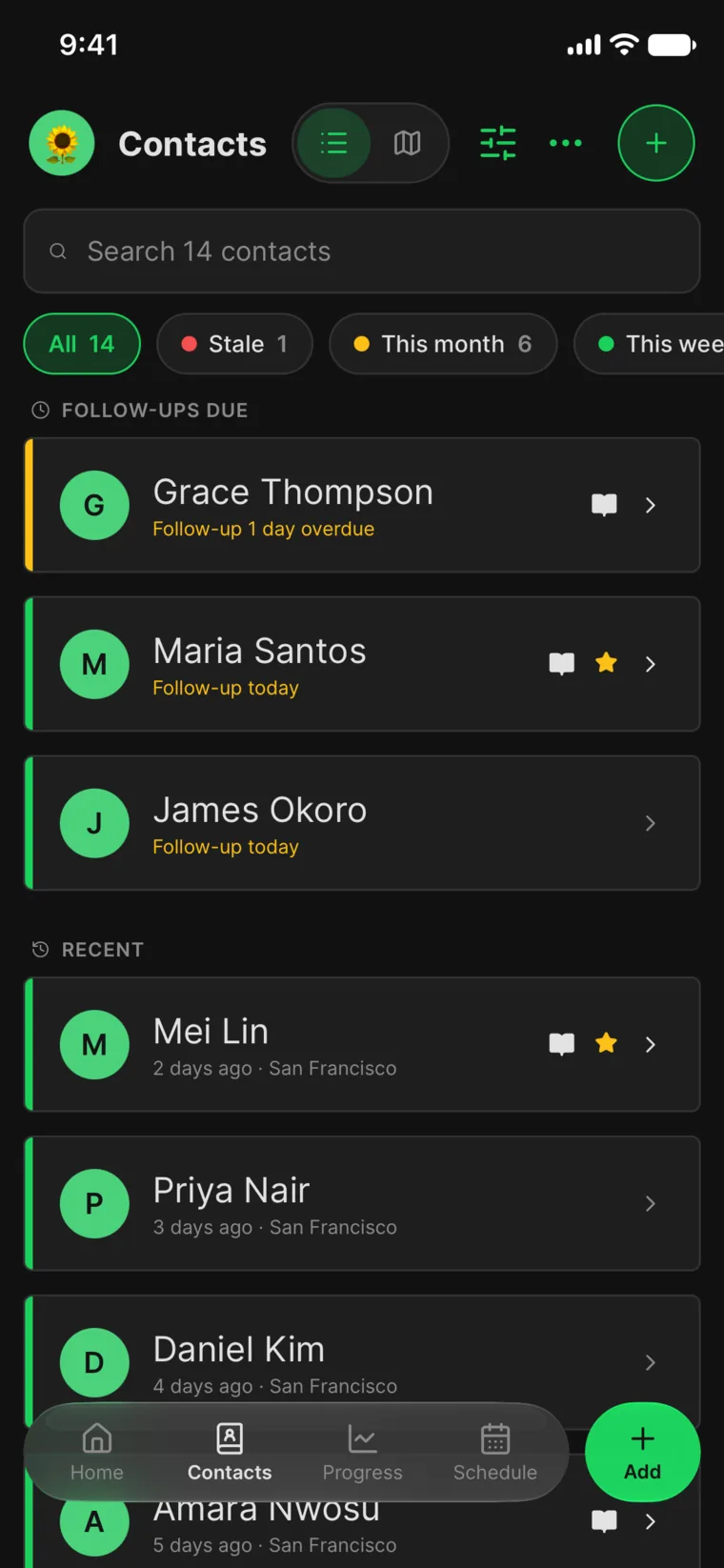
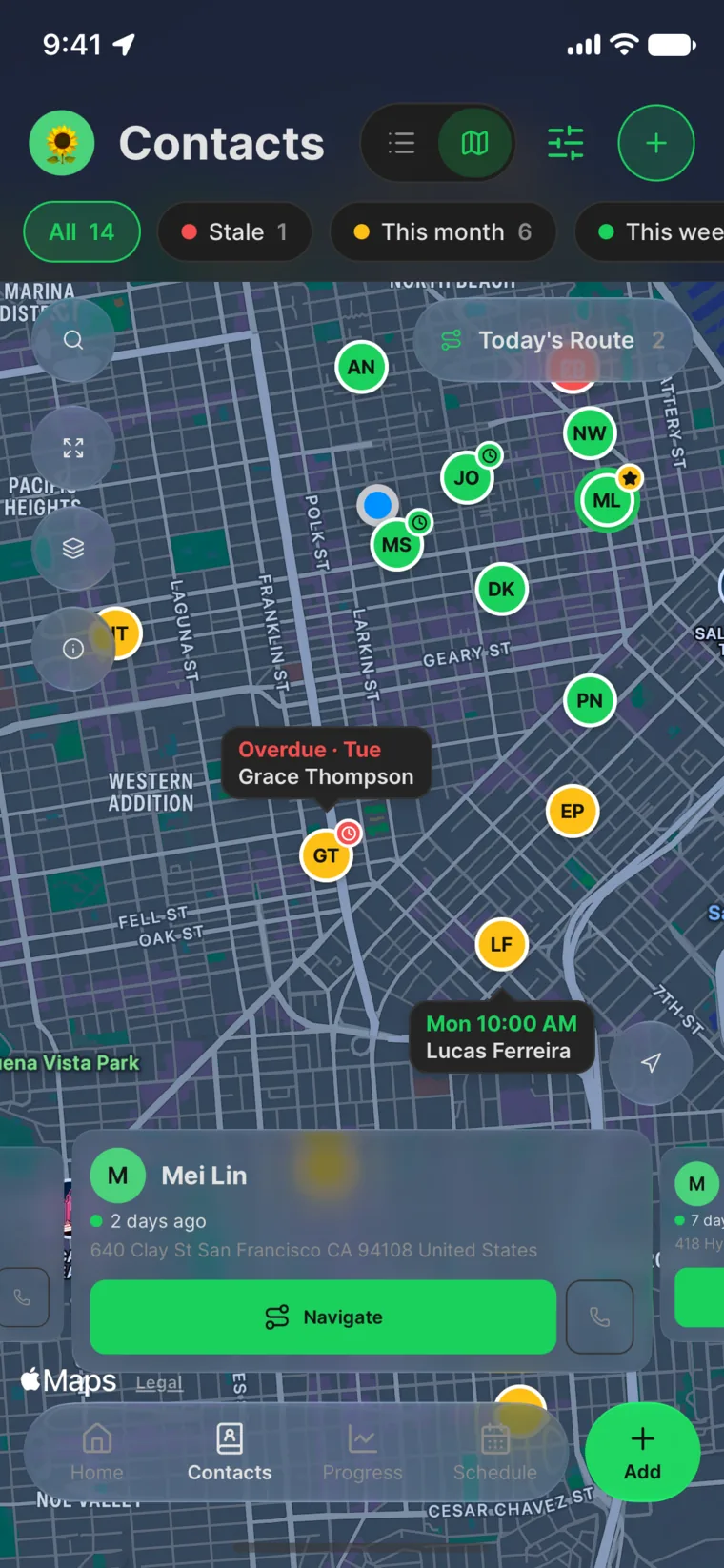
Never lose a return visit.
Every householder, note, and follow-up lives in one place, on a list or on a map. WitnessWork reminds you who's due, so no one is forgotten.
Scribe AI
Just say it.
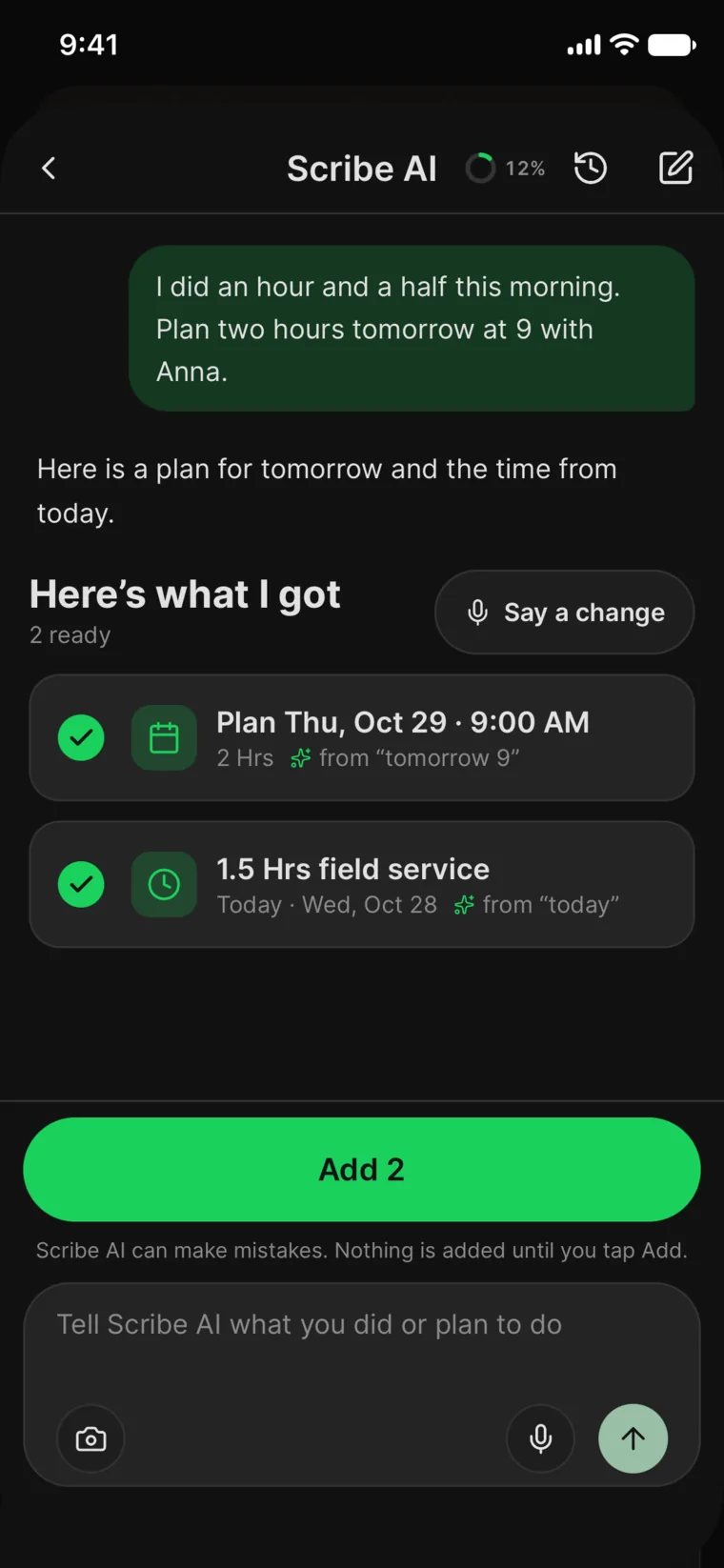
Speak, type, or scan your notes. Scribe AI turns them into time, plans, contacts, and follow-ups. Nothing is added until you tap Add.
I did an hour and a half this morning. Plan two hours tomorrow at 9 with Anna.
Here's what I'll add:
- Time1.5 hrs field serviceToday
- Plan2 hrs at 9:00 AMTomorrow · with Anna
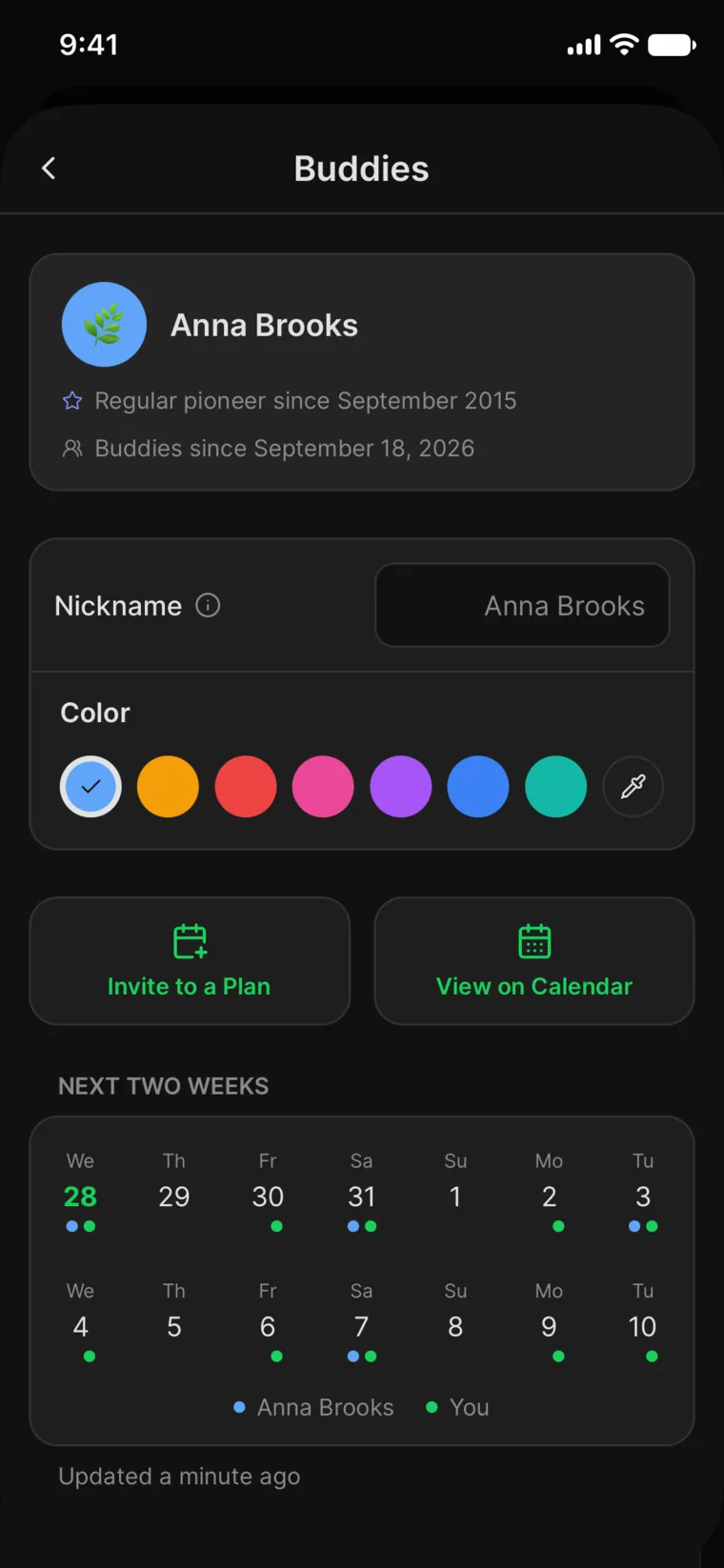
Buddies
Go out together.
Connect with up to five friends you go out with. See each other's planned days, invite them to yours, and know who's going, end-to-end encrypted on iPhone and Android.
Route planning
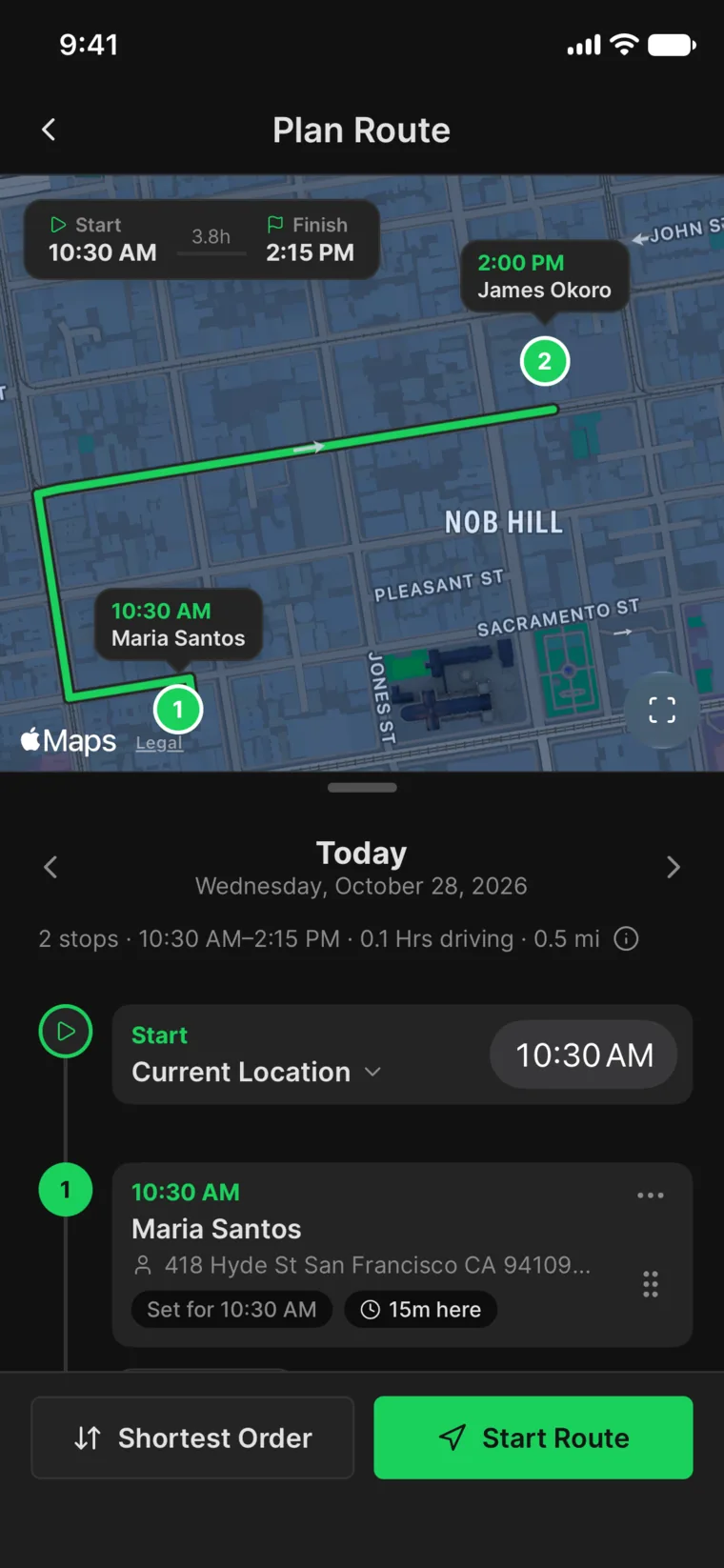
The best route, in order.
Put the day's stops in the fastest driving order, see when you'll arrive, and start in your favorite maps app.
Included with Supporter.
Streaks, badges & your pet
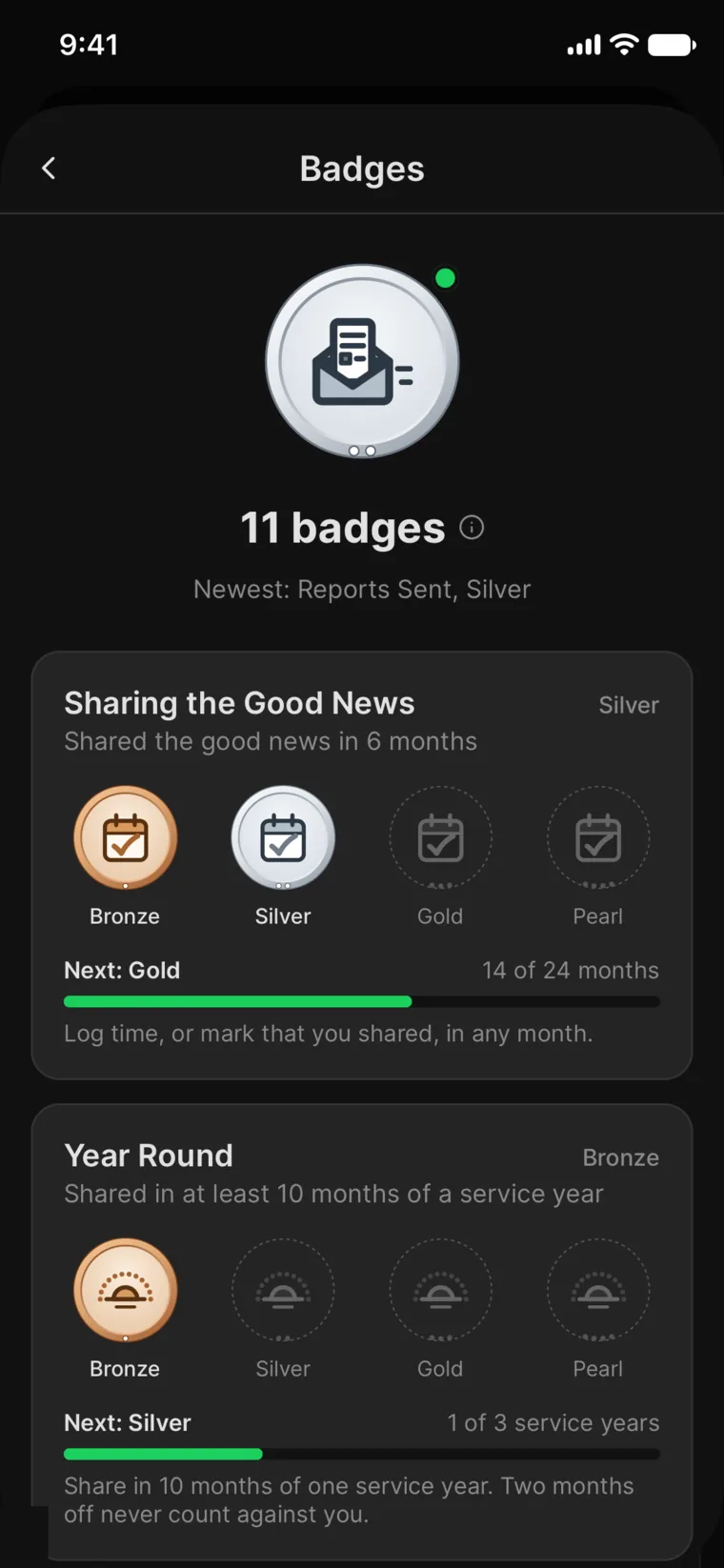
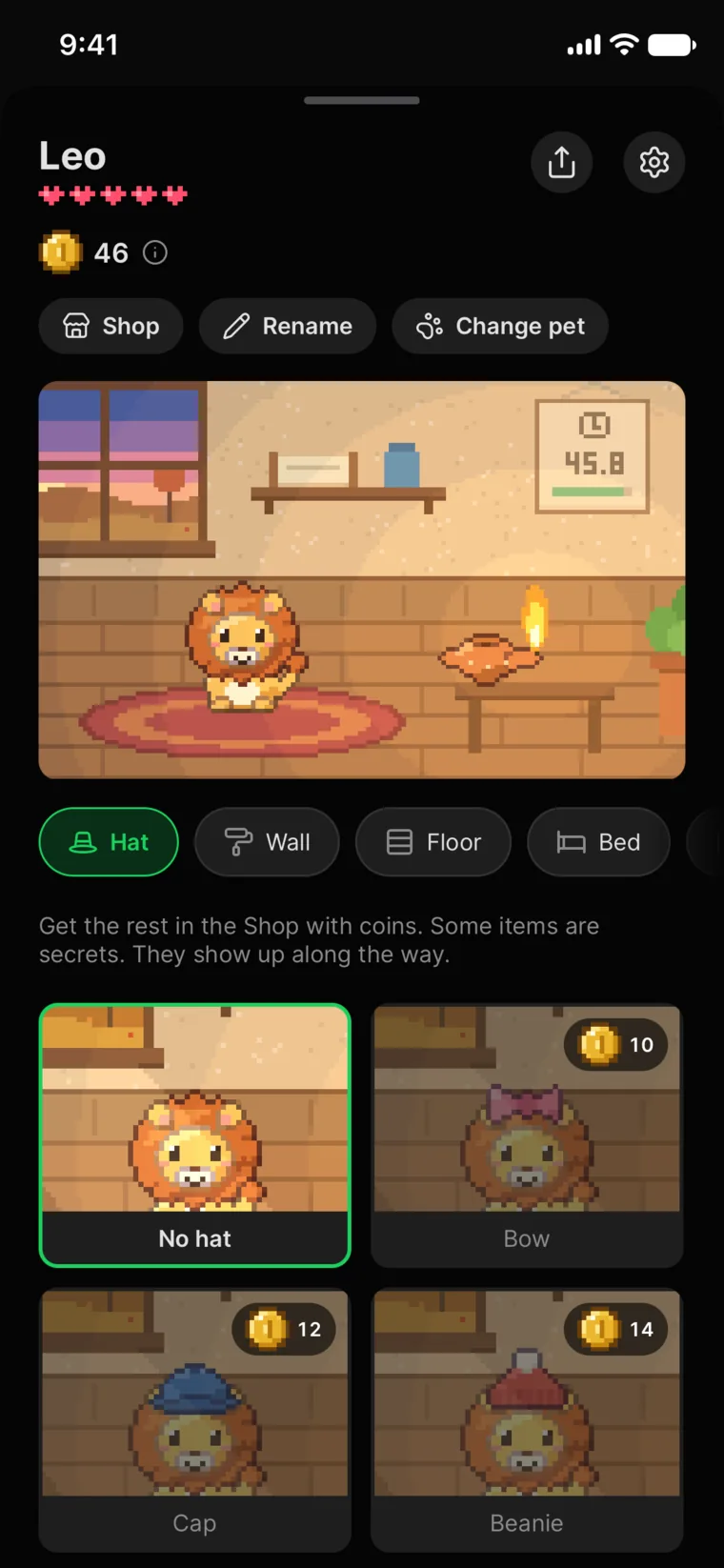
Celebrate faithful habits.
Keep your streak going, earn badges that grow from Bronze to Pearl, and raise a companion who cheers you on.
And so much more.
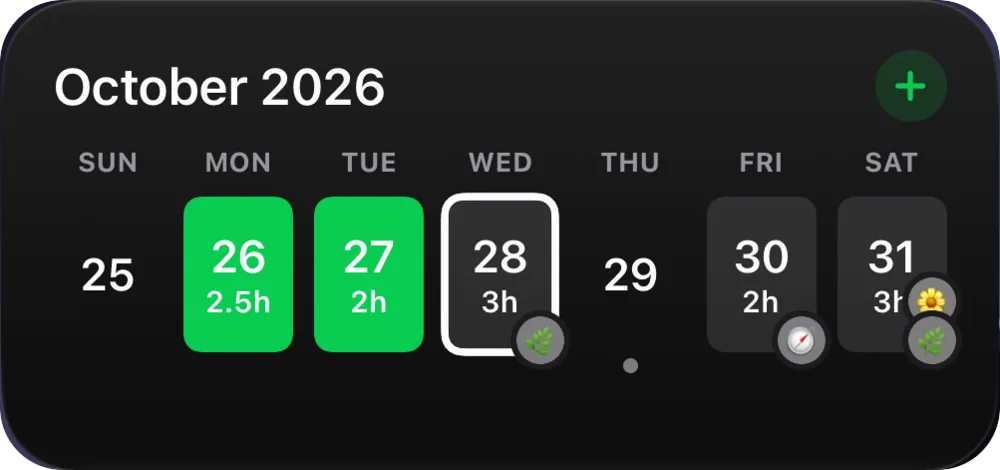
iPhone and iPad
Widgets
Your hours and calendar on your Home and Lock Screens.
iPhone and iPad
Siri and Shortcuts
“Add time in WitnessWork.” Done.
iPhone and iPad
Mileage
Log trips and see the month's fuel cost.
App Lock
Keep your records behind your face, fingerprint, or passcode.
Bring your data
Import from MyTime and other apps in minutes.
Calendar Sync
See plans and follow-ups in your calendar.
Backup
Encrypted backups that only your devices can read.
Rich notes
Format your notes and add photos.
Make it yours
Rearrange Home, pick tabs, and choose light or dark.
Accessible
Larger and bold text, plus screen reader support.
iPhone Duo
Unfold your ministry.
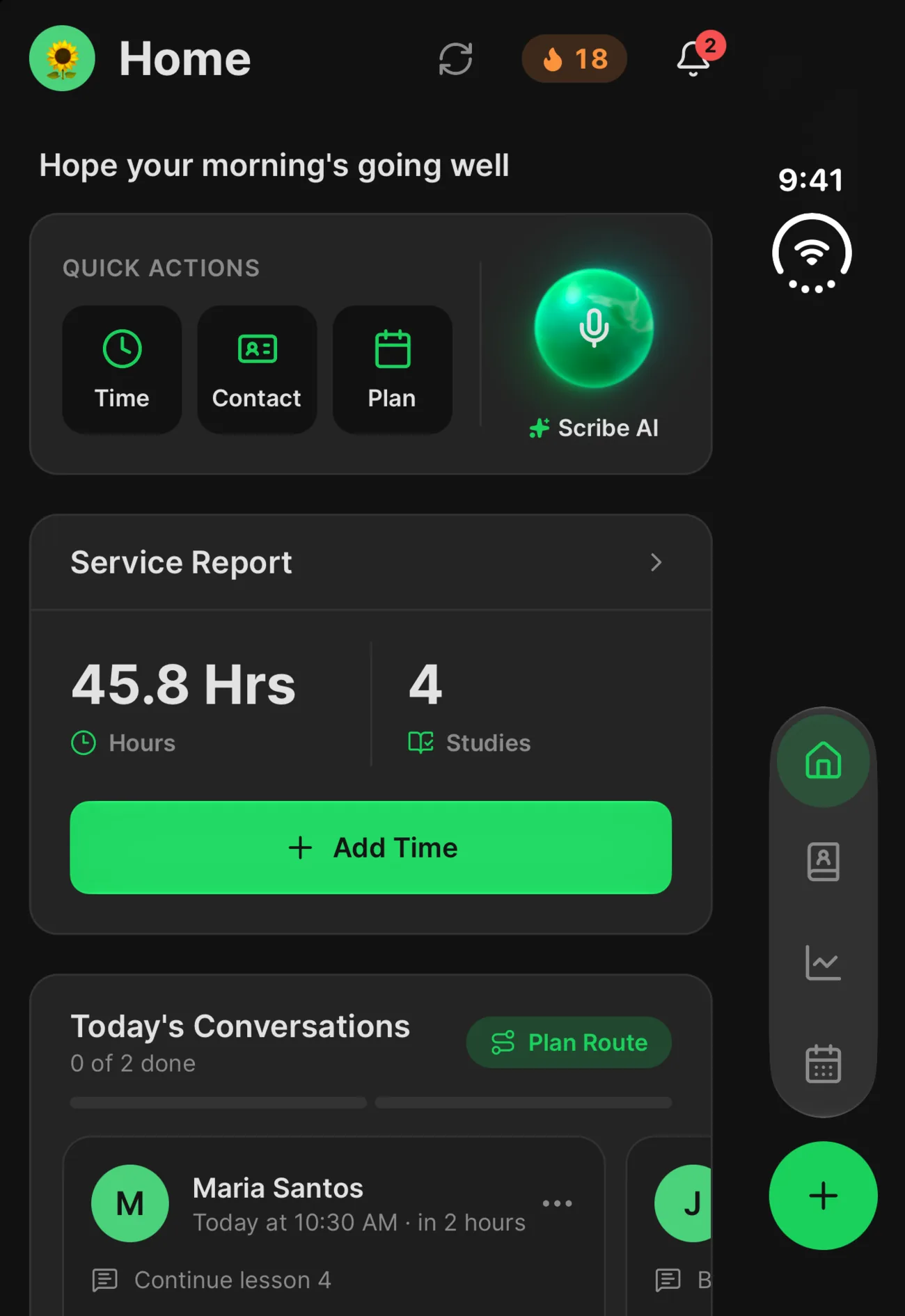
Closed, it's your pocket companion. Open it, and Contacts, Schedule, and Progress spread across two columns that meet the fold.
Every device
One app. Every screen.
WitnessWork feels at home on every screen you use.
Everything, in your pocket.
Time, plans, contacts, and progress one tap away, with widgets and Siri built in.
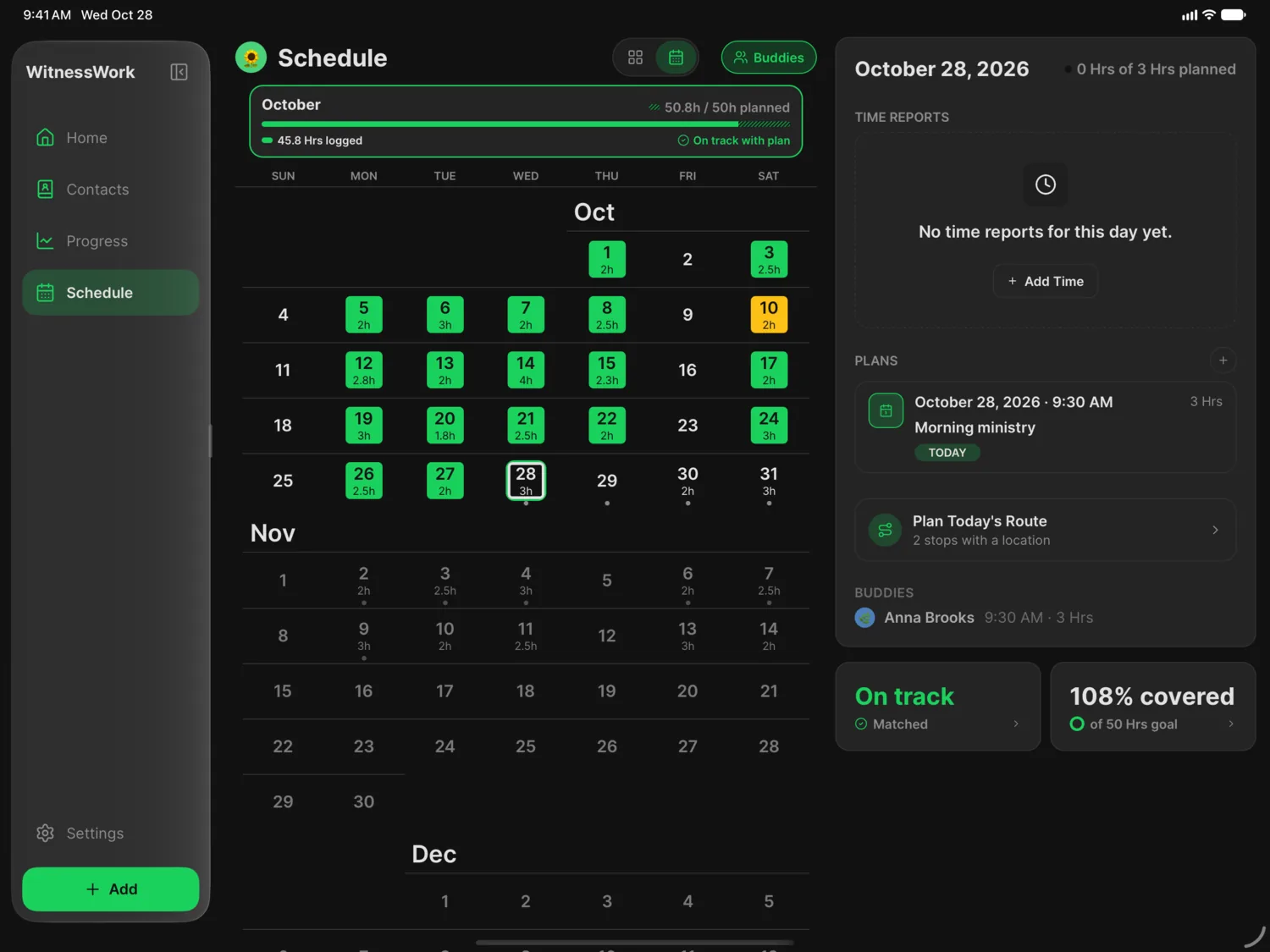
Room to plan.
A sidebar, side-by-side views, keyboard shortcuts, and pointer support make planning a pleasure.
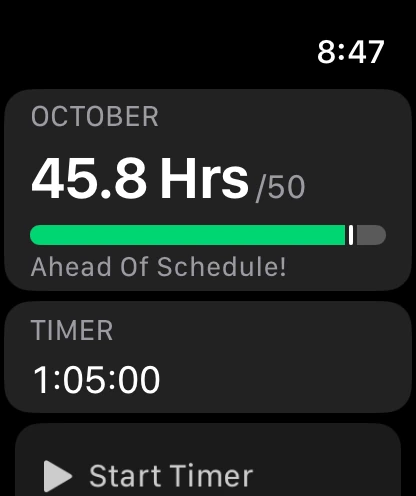
Your ministry at a glance.
See this month's hours, add time, run your timer, and check Up Next from your wrist.
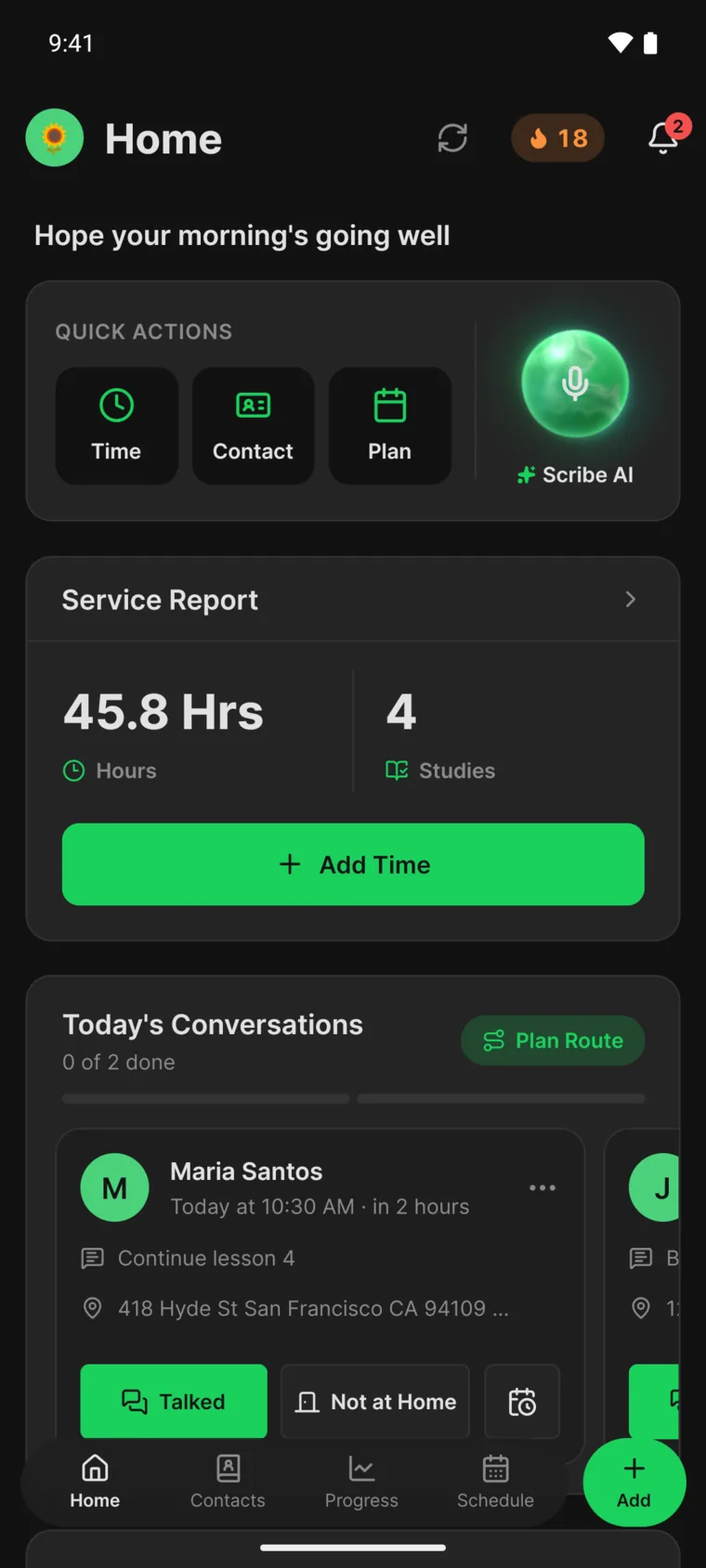
Just as good on Android.
The same app on Android phones and tablets, with a Wear OS app and Google Drive sync.
Cloud Sync
Log it anywhere. See it everywhere.
Add time on your watch or plan on your iPad, and it's on your phone a moment later, even between iPhone and Android. Only your devices can read it.
Included with Supporter.
Privacy
Private by design.
Your ministry records are personal. WitnessWork treats them that way.
No sign-up. No ads.
Your account is anonymous: no email, phone number, or password.
Kept on your device
Your records live on your devices, and you decide whether they sync or back up.
End-to-end encrypted
Only your devices can read your synced and backed-up records, and only your buddies can read what you share with them.
Locked when you want
Lock WitnessWork with your face, fingerprint, or passcode.
Zero data retention
Scribe AI works only with providers that don't store what you send.
Open source
Anyone can read WitnessWork's code on GitHub.
Languages
Speaks your language.
Available in 19 languages.
Pricing
Everything you need. Free.
No ads, no sign-up, no catch. Every feature for your ministry is free for everyone.
- Time and reports
- Goals and daily pace
- Return visits and studies
- Your visits on a map
- Plans and reminders
- Buddies
- Scribe AI, with a monthly limit
- Apple Watch and Wear OS
- Widgets and Siri on iPhone and iPad
- Encrypted backup
- Calendar Sync
- Streaks, badges, and your pet
Supporter is optional.
If WitnessWork helps your ministry, a subscription helps keep it going. As a thank-you, Supporters get:
- Sync across all your devices
- The day's best route
- More Scribe AI
- Accent colors, plus app icons on iPhone and iPad
- The Supporter badge
Subscribe in the app to see prices where you live. Cancel anytime.
FAQ
Questions? Answers.
Is WitnessWork still free?
Yes, and it always will be. Every core feature stays free for everyone, including time and reports, goals, contacts and return visits, plans, Buddies, and the Apple Watch and Wear OS apps. Supporter is an optional subscription that helps fund development. As a thank-you, it adds Device Sync between your devices, Plan Today's Route, higher Scribe AI limits, and personal touches like accent colors.
Is WitnessWork on Android?
Yes. WitnessWork is back on Google Play, and it's free. Time and reports, the timer, contacts and follow-ups, plans, the map (with Google Maps), mileage, reminders, and backups all work on Android. Buddies works on Android too, including with buddies on iPhone. Supporters can keep their devices in sync with Cloud Sync, which also syncs with an iPhone, or with Google Drive Sync between Android devices. A few features rely on Apple services and stay on iPhone and iPad: iCloud Sync, widgets, Live Activities, and app icons. Scribe AI works on Android too. To move to a new phone on either platform, use Set Up Another Device on the old phone (Settings → Account); with Cloud Sync, the new phone gets your records without a restore step, or it offers to restore your Backup if you turned it on in Settings → Account. You can also create a backup file (Settings → Backup & Restore → Create Backup), copy it to the new phone, then choose From a backup file on the “Pick up where you left off” setup screen. Between Android devices you can also choose From Google Drive there. Keep backup files private; they can contain householder details.
Is there an Apple Watch app?
Yes, for iPhone with an Apple Watch on watchOS 26 or later. It installs automatically if Automatic App Install is on; otherwise open the Watch app on your iPhone, find WitnessWork under Available Apps, and tap Install. Then open WitnessWork on your iPhone once so your watch gets your progress. The watch shows this month's hours and whether you're ahead of or behind your plans, counted the same way as on your iPhone (without plans, how much a day it takes to reach your goal). On the watch you can add time for today with an optional Type, start and pause your iPhone's timer, and save the timer's time as an entry. If you don't log hours as a Kingdom Publisher, you can mark that you shared the good news this month. Two complications can go on a watch face or in your Smart Stack: Monthly Progress shows your hours toward this month's goal, with a mark where your plans put you by today; in a round spot you can choose a ring or a gauge, with your goal at its end or a clock below, and without a goal it shows your hours alone. Up Next shows your next follow-up or plan. You can also use Siri on your watch to add time, start, pause or stop your timer, and log a mileage trip, with the same phrases as on iPhone, such as "Add time in WitnessWork" or "Log a trip in WitnessWork". Your iPhone keeps your records. The watch receives your monthly progress, report status, timer, Types, car names and distance unit, and for Up Next the name, address and topic of your follow-ups and the title and place of your plans for the next two weeks. It never receives notes or other contact details, and it can't edit or delete entries. The watch app needs your iPhone, so it isn't available for an Apple Watch set up with Family Setup. With an Android phone, use the Wear OS app instead.
What is Cloud Sync?
Cloud Sync keeps your records the same on all your devices, including between an iPhone and an Android phone. Each device that uses it keeps an end-to-end encrypted copy of its data on WitnessWork's server, and your other devices on Cloud Sync combine those copies, usually within seconds while the app is open. It's the default for devices that haven't chosen a sync option. Open Settings → Device Sync to see which option this device uses, turn sync off, or switch to iCloud (Google Drive on Android). A device syncs one way at a time, and only with your devices that use the same option. Photos don't sync with Cloud Sync yet; they stay on the device that added them. When Cloud Sync needs Supporter access, or WitnessWork has paused it for a while, Settings → Device Sync says so; your changes stay on this device and sync once it's back, and Sync now checks again. A new phone you set up from your account's QR code or recovery key gets your records through Cloud Sync without a restore step. If your newest backup is newer than every Cloud Sync copy, for example from a phone that stayed on iCloud, the new phone offers to restore it too.
Is my data private and secure?
Yes. WitnessWork has no sign-up and no ads, and your records live on your device. Anything that leaves it is encrypted or anonymized, so it isn't tied to you. Your account is anonymous: no email, phone number, or password. If you turn on Backup (Settings → Account), WitnessWork's server keeps an end-to-end encrypted copy of your records that only your devices can read, not WitnessWork; it's off unless you turn it on. Cloud Sync keeps an end-to-end encrypted copy of each device's data on WitnessWork's server that only your devices can read. iCloud Sync and Google Drive Sync go straight to your own account over an encrypted connection, never through WitnessWork's servers; on iPhone and iPad, turning on Apple's Advanced Data Protection makes iCloud end-to-end encrypted. Buddies is end-to-end encrypted, so only you and your buddies can read what you share. From version 1.47.0, shared cars in Mileage are end-to-end encrypted too, so only the people on a car can read it. A shared contact travels inside its link and isn't stored by WitnessWork. Scribe AI sends what you ask it over an encrypted connection to Zero Data Retention providers that don't store it, and route planning sends only map coordinates. Usage statistics are anonymous counts that never include names, contacts, reports, or notes; turn them off anytime in Settings → Preferences → Share Anonymous Usage Statistics. Supporter purchases use a random identifier, not your name or email. Backup files you export are yours, so keep them somewhere private; they can include householder details. WitnessWork deletes its own temporary copies of exported backups, shared contact files, and picked photos the next time it starts and when you permanently delete householder data. For privacy questions, use the private support link in the Help Center.
Can I import data from MyTime, Ministry Assistant, or another app?
MyTime backups are supported. In MyTime, go to More → Settings → Backup and email yourself a backup, then save the attached .mytimedb file on your device. On Android, send it from MyTime on your iPhone and download the attachment on your Android phone. Open Settings → Import Data → From MyTime, or choose From MyTime during setup, choose that file, and review the preview before importing. Other apps' backup formats are not automatically supported. If you can export readable text, paste it into Scribe AI and review what it adds. Review its proposed records and warnings before saving. WitnessWork JSON backups belong in Settings → Backup & Restore instead. To bring in data from Notes or paper later, use Settings → Import Data.
What can Scribe AI do?
Scribe AI can log time, including in a category such as LDC or a new one you name, change or delete time you logged, create Day Plans and change their date, start time or length, add contacts and update their name, phone, email or address, and log visits with follow-ups. It can also answer questions about your time this month or service year, your plans, your contacts and visits, and the plans your buddies share with you. Everything it would change appears as cards for you to review first. Apart from time you logged, it can’t delete anything, change your settings, create or change Recurring Plans, invite buddies, or send anything to anyone. When you plan with a buddy, the plan’s card reminds you to invite them once it’s added. If a visit note reads like instructions to an AI, Scribe AI may skip it and say it couldn’t read it.
What do I get as a supporter?
An active Supporter subscription gives you the Supporter badge, custom accent colors and Plan Today's Route, which puts the day's follow-ups and plans in the shortest driving order, plus Device Sync, and alternate app icons on iOS. Device Sync is Cloud Sync, the only option that syncs live, even between iPhone and Android, or iCloud Sync on iOS and Google Drive Sync on Android. Supporters also get generous Scribe AI limits on iOS and Android; without Supporter, Scribe AI has a smaller monthly limit (see How do Scribe AI limits work?). Core features remain free, including contact filters, sorting and saved views, and Buddies when available; Supporters can also choose each buddy's color. A one-time Tip gives Donor recognition but does not activate Supporter features.
Your ministry, on track.
Download WitnessWork free for iPhone, iPad, Apple Watch, and Android.

Free forever · No ads